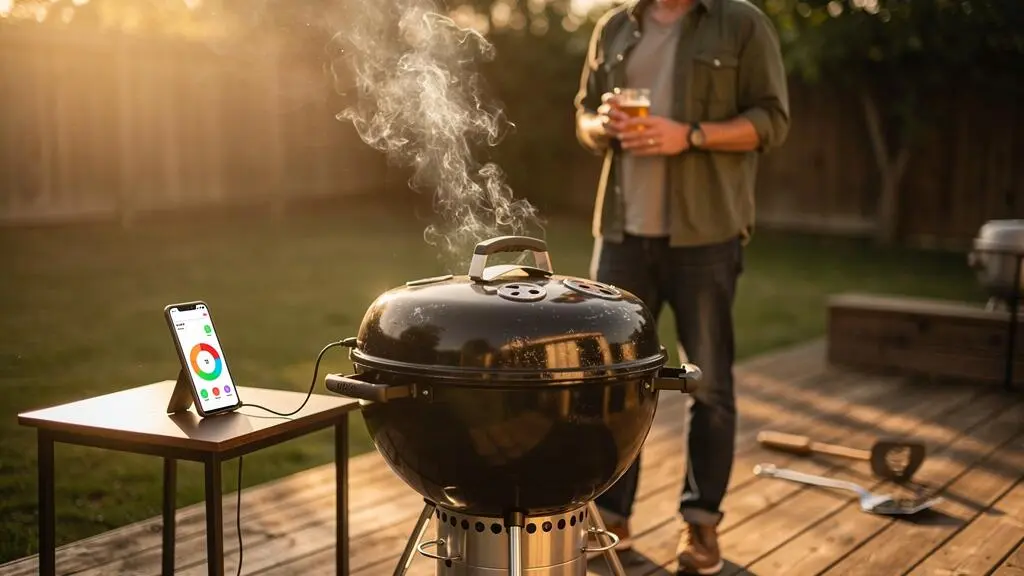
A wireless meat thermometer can tell you exactly what its sensors are measuring and still leave you with an overcooked joint. The problem is rarely solved by adding more notifications. It is usually a mismatch between probe placement, the temperature you actually want and the time it takes to respond.
The practical approach is to establish a reliable measurement, set an early warning before the intended removal point, and account for the temperature change that may happen during resting. The thermometer becomes a decision-making tool rather than an electronic countdown.
For UK home cooks, there is also an important distinction between cooking quality and food safety. A temperature that produces the texture you prefer is not necessarily an appropriate safety endpoint, particularly for poultry or minced meat. The aim is to reduce unnecessary overheating without compromising safe cooking.
A well-configured system should ultimately give you fewer reasons to lift the lid, reach for your phone or wonder whether an alert has been missed.
Wireless thermometer essentials
- Place the sensing area in the thickest, coolest part of the meat and verify questionable readings with an instant-read thermometer.
- Use an early warning followed by a removal alert, adjusting the gap to the cut and its observed heating rate.
- Record temperature changes during resting and verify safe endpoints instead of assuming app presets or carryover cooking are sufficient.
- Why Does a Wireless Thermometer Reading Lag Behind What Your Meat Is Doing?
- How to Set Up Wireless Probes So Your Alerts Match Reality on the Grill?
- One Probe or Four Probes: Which Wireless Thermometer Makes Sense for Family BBQs?
- The Default-Preset Mistake That Overcooks Meat Even With a Smart Thermometer
- When Should You Set the First Alert So You Have Time to React Without Rushing?
- How to Set Up Wireless Probes So Your Alerts Match Reality on the Grill?
- How to Set Alerts 10°F Early So You Can Fix Problems Without Rushing?
- How to Set Cooking Alerts So You Stop Hovering Over the Grill Every 5 Minutes
Why Does a Wireless Thermometer Reading Lag Behind What Your Meat Is Doing?
A wireless thermometer measures the temperature at its sensors, not the future temperature of the entire joint. Heat travels from the outside towards the centre, so the surface can be considerably hotter while the core is still warming. Sensor response, probe position and continued heating after removal can all create an apparent delay between an alert and the final result.
Imagine a thick roasting joint on a covered barbecue. Its exterior is exposed to hot air and radiant heat, while its centre warms more slowly. Even with a perfectly functioning thermometer, the temperature displayed at the centre describes only the present conditions around its sensing area.
That distinction matters as the cook approaches its target. The outside may already contain enough stored heat to continue warming the centre after the joint is removed. This is carryover cooking, and it helps explain why a reading at removal does not necessarily match the highest temperature reached during resting.
Probe position introduces a separate problem. A sensing point near bone, within a pocket of fat or away from the thickest part may not represent the coldest portion of the food. Several millimetres can matter on a small cut, while large joints may contain noticeably different temperatures across their thickness.
ThermoWorks explains the importance of sensor location and checking more than one position in its frequently asked questions about thermometer accuracy and placement. The practical lesson is to investigate the coldest area rather than assuming that the first stable number represents the entire cut.
Try a simple comparison over two or three ordinary cooks:
- Leave the wireless probe in its intended position throughout the cook.
- At a suitable checking point, take an instant-read measurement close to the same location without touching the installed probe.
- Check another position in the thickest part for a potentially colder reading.
- Record the readings and any temperature increase during resting.
A recurring difference may indicate positioning, sensor response or instrument accuracy issues. It is not automatically a calibration correction: a proper accuracy check requires a suitable reference method. For multi-sensor probes, consult the manufacturer’s guidance to establish which sensor or calculated value the app displays.
Once the sensing point is understood, reliable alerts become much easier to configure. The next priority is ensuring that the probe remains properly positioned and connected throughout the cook.
How to Set Up Wireless Probes So Your Alerts Match Reality on the Grill?
Position the probe so its internal sensing area reaches the thermal centre of the thickest portion, following the manufacturer’s insertion-depth requirements. Keep exposed components away from heat beyond their rated limits, confirm connectivity before cooking and check that notifications are enabled. A correctly positioned probe with an unreliable connection is still an unreliable monitoring system.
Start with the food rather than the app. Identify its thickest section and consider where the coldest point is likely to sit. For a conventional single-sensor probe, this generally means placing the sensing tip near the centre of the thickest portion while avoiding contact with bone.
Wireless probes differ in construction. Some incorporate several sensors and determine the coldest internal measurement electronically. Others rely on a sensing area near the tip. A visible notch or marked line may indicate the minimum insertion depth required to protect the electronics, not simply a suggested position.
For example, the ThermoWorks RFX wireless thermometer setup instructions specify insertion to the manufacturer’s immersion line and positioning towards the thermal centre. The RFX MEAT probe uses four sensors near its tip and reports the lowest measured temperature. Those details apply to that system, not necessarily to another brand.
Next, consider the grill environment. The position of the coals, burner arrangement and lid can create uneven heating. An exposed shaft or incorrectly positioned sensor may encounter strong radiant heat, while a sensor measuring air near the food may report something quite different from a lid thermometer.
Connectivity needs a real-world test. Pairing successfully beside the grill does not guarantee useful reception from the kitchen. Wireless systems may employ Bluetooth, radio links, Wi-Fi gateways or combinations of these technologies. Walls, distance and metal cooking enclosures can affect their performance differently.
Before leaving the grill unattended, place your phone where you actually expect to use it. Confirm that fresh temperature readings continue to arrive and that a test notification is noticeable.
A final limitation concerns uneven food. A probe in one chicken thigh cannot confirm that every other thigh is cooked. Similarly, a steak with markedly different thicknesses may need an additional spot check. Treat a single reading as evidence from a particular location, not an automatic verdict on the entire meal.
Once the physical setup is dependable, the question becomes how many independent measurements are worth monitoring at once.
One Probe or Four Probes: Which Wireless Thermometer Makes Sense for Family BBQs?
One well-positioned wireless probe is usually sufficient to monitor a single substantial joint, provided you verify other areas when necessary. Several probes become more useful when cooking separate items with different thicknesses, heating rates or safe endpoints. The better choice depends on how many independent decisions you must make, not simply how many sensors the product advertises.
Consider a weekend barbecue featuring a single pork shoulder. Its centre temperature is useful for tracking progress, although tenderness and additional spot checks still matter. Four separate probes may add little to that straightforward monitoring job.
Now consider chicken pieces, sausages and a larger roasting joint cooking simultaneously. Each type of food can reach its appropriate endpoint at a different time. Independent probes let you monitor those items without constantly opening the lid to measure them manually.
The distinction between multiple sensors and multiple probes is important. A single probe with several internal sensing points can improve temperature detection within the food it occupies. It does not measure several separate pieces of meat.
Use this practical comparison when deciding whether to buy or add channels.
| Cooking situation | One probe | Multiple probes |
|---|---|---|
| One large roasting joint | Practical starting point with spot checks | Useful if separate locations require continuous monitoring |
| Several similar steaks | Monitors one representative steak only | Helpful for differing thicknesses or removal times |
| Chicken pieces and sausages | Requires more manual checks | Allows independent targets for different food items |
| One brisket or pork shoulder | Tracks internal progress | Additional locations may reveal uneven heating |
| Mixed family barbecue | Lower app complexity | More coverage but more channels and alarms |
More channels also introduce more decisions. Each probe needs appropriate placement, a target and meaningful notifications. If four simultaneous readings make it difficult to recognise the one that needs immediate attention, the equipment has become a distraction rather than a convenience.
For some cooks, a multi-sensor probe that reports internal temperature alongside an appropriate cooking-environment reading offers a useful middle ground. However, check exactly what each sensor measures. A probe’s environmental measurement close to the food is not necessarily the same as the temperature at the grill’s central cooking grate.
There is little reason to upgrade merely because a kit supports more probes. Start with one, establish reliable results and add capacity when a repeated cooking problem demonstrates that another independent measurement would help.
Probe quantity is only part of accuracy. Even the most elaborate kit can overcook a joint if its default target is unsuitable.
The Default-Preset Mistake That Overcooks Meat Even With a Smart Thermometer
Factory presets may use generic temperatures that do not account for your preferred texture, cooking method or temperature increase during resting. If you treat a preset alert as the exact moment your food should reach its final serving temperature, carryover heating can take it further. However, personal preferences must never replace appropriate food-safety requirements.
A thermometer app typically asks you to select a type of meat and sometimes a doneness level. That is convenient, but it conceals two very different questions: has the food reached an appropriate safety endpoint, and does it have the texture you want?
For UK cooks using American equipment, the distinction is particularly relevant because an app may incorporate US food-safety guidance. The USDA provides category-specific recommendations rather than one universal meat temperature.
Its guidance on safe internal cooking temperatures identifies the following endpoints.
| Food category | Temperature | Additional requirement |
|---|---|---|
| Whole poultry, poultry pieces and minced poultry | 74°C / 165°F | Verify the internal temperature |
| Minced beef, pork, lamb or veal | 71°C / 160°F | Verify the internal temperature |
| Whole-muscle beef, pork, lamb or veal steaks, chops and roasts | 63°C / 145°F | Minimum three-minute rest |
These are US consumer recommendations, not a statement of UK legal requirements. British cooks should also follow applicable UK food-safety advice, particularly when preparing poultry, minced meat or food for vulnerable guests. Any lower-temperature method must meet the relevant validated time-and-temperature safety requirements; a wireless alert cannot establish that by itself.
74°C / 165°F
The USDA-recommended minimum internal temperature for poultry, including whole birds, pieces and minced poultry. This is a US food-safety reference, not a universal removal-temperature preset.
USDA Food Safety and Inspection Service
Brisket and pork shoulder add another complication. These cuts can reach an appropriate safety temperature long before their connective tissue has softened enough for the desired barbecue texture. Their finishing decision therefore involves tenderness and the cooking process, not merely a temperature alarm.
Build your own cooking record with three measurements: the temperature when an alert sounds, the verified temperature at removal and the highest temperature observed during resting. Note the cut, thickness, grill conditions and rest method as well.
After several comparable cooks, that record can help identify typical carryover behaviour. Do not turn it into a blanket permission to remove food before its required safety conditions have been met. The purpose is to understand and control the process, not assume that future heating will always compensate for an early removal.
Once the safe endpoint and intended texture are clear, the next task is choosing an alert that gives you enough time to respond.
When Should You Set the First Alert So You Have Time to React Without Rushing?
Set your first alert early enough to prepare for removal, then use a second alert to trigger the final check and cooking decision. The warning margin should reflect how quickly the centre is warming, how long you need to reach the grill and the cut’s expected resting behaviour. A fixed temperature gap cannot suit every barbecue.
The purpose of the first alert is not to declare the meat nearly finished. It gives you a chance to prepare a clean resting surface, check the rest of the meal, put down another task and assess whether cooking is progressing normally.
The second alert has a different role. It prompts a measured action: inspect the temperature, verify the coldest relevant area and decide whether the food is ready to remove, needs further cooking or requires a tenderness check.
To estimate useful lead time, look at the internal temperature trend near the end of a comparable cook. Divide the recent rise by the time elapsed. This gives you an approximate rate of temperature increase.
For example, in a purely hypothetical cook where the measured temperature rises 5°F over five minutes, the recent rate is about 1°F per minute. An alert 10°F before a selected checkpoint would then suggest roughly ten minutes of warning, assuming that rate continued unchanged.
That assumption is the weakness. Temperature rise is rarely perfectly linear. A hotter grill, an increase in surface heating or a change in cooking conditions can shorten the warning period. A stall or reduced heating rate can lengthen it dramatically.
Large cuts also have a logistical delay between hearing the alarm and changing their cooking conditions. Opening the grill, handling a hot roasting tray, moving a heavy joint and arranging the rest all take time. During those steps, the meat may continue absorbing or redistributing heat.
Separate preparation time from safety decisions. The first alert can be set freely as a reminder, but the final decision must still account for the applicable safe cooking endpoint.
Try this on a routine cook rather than an expensive joint. Set the first alert conservatively early, observe the rate of temperature rise and record the actual time taken to respond. Repeat before adopting the same margin as a reliable habit.
With timing understood, a brief operational check can prevent the remaining problems: missed notifications, incorrect app settings and probes exposed to unsuitable conditions.
How to Set Up Wireless Probes So Your Alerts Match Reality on the Grill?
Reliable setup needs more than correct probe insertion. Before lighting the grill, confirm the probe is charged, the receiver or gateway is connected, the app is functioning and the intended targets are saved. Then check the ambient measurement and the probe’s heat limits. This pre-cook routine catches failures while there is still time to correct them.
Think of this as a departure check for your barbecue. Once cooking starts, fixing an overlooked notification setting or replacing a depleted probe becomes considerably more awkward.
Check battery status and inspect the probe for visible damage. Review software or firmware requirements ahead of cooking rather than starting an unnecessary update during the meal. Confirm that any charging case, receiver or gateway is positioned according to the manufacturer’s instructions.
Next, verify the cooking environment. If the system offers an ambient-temperature reading, identify where that sensor is located. It may be close to the surface of the meat rather than in the middle of the grill, so it can differ from a separate grate thermometer.
The first-generation Combustion Predictive Thermometer, for instance, distinguishes internal, surface and ambient measurements. Its operating and carryover guidance also explains why local temperatures and subsequent carryover behaviour must not be confused with an appliance’s temperature setting.
A useful test is to compare the ambient reading with a separate suitable grill thermometer during a controlled cook. Differences are worth investigating, but they do not automatically mean either sensor is defective: they may be measuring different locations.
Hardware protection is another non-negotiable part of setup. Probe bodies, exposed ends, charging components and electronics have model-specific temperature and immersion limits. Follow those limits rather than assuming all wireless probes tolerate direct flames, aggressive searing or immersion in liquids.
Five checks before every wireless thermometer cook
- Check the battery and hardware: confirm the probe is charged and undamaged. Deliverable: a visible ready or charged indication.
- Confirm the connection: test the receiver or gateway from the phone’s intended location. Deliverable: a fresh, updating temperature reading.
- Verify insertion and heat limits: check the marked depth and sensor position against the device instructions. Deliverable: a properly inserted probe with exposed components within their rated conditions.
- Review the targets: select the appropriate food category and confirm early and final alerts. Deliverable: two saved alert settings that reflect the cooking plan.
- Test notification delivery: use the app’s available test or alarm function where supported. Deliverable: confirmation that a notification can be noticed with the phone in its normal location.
For a newly purchased thermometer, make the first few cooks uncomplicated. Cross-check important readings with a suitable instant-read instrument and observe how notifications behave when you move away from the grill. Any persistent discrepancy deserves investigation before the device is trusted with a costly meal.
The system should now be ready to monitor a cook. The remaining refinement is deciding whether an early warning of ten degrees is genuinely appropriate.
How to Set Alerts 10°F Early So You Can Fix Problems Without Rushing?
An alert 10°F (approximately 5.6°C) before a chosen cooking checkpoint can be a useful starting experiment, but it is not a universal removal margin. Its practical value depends on the current heating rate and the time required to respond. Use it as a warning to inspect the cook, not as permission to finish below a safe endpoint.
Suppose a medium-sized roast is approaching its selected checkpoint and the recent temperature graph shows steady progress. An early alarm gives you an opportunity to check whether the probe remains stable, the grill is heating as expected and the final temperature target still makes sense.
The same ten-degree gap behaves differently across cooking situations. Small pieces can change temperature quickly. A large joint may warm slowly near its centre but exhibit substantial carryover after removal. High cooking temperatures and insulated resting methods add further uncertainty.
The table below uses hypothetical heating rates to illustrate the calculation, not to predict actual cooking performance.
| Recent temperature rise | Estimated warning time | Interpretation |
|---|---|---|
| 0.5°F per minute | 20 minutes | More preparation time if the rate remains stable |
| 1°F per minute | 10 minutes | Potentially useful preparation window |
| 2°F per minute | 5 minutes | Limited time before the checkpoint |
| Temperature plateau | Cannot be reliably estimated | The cooking trend needs reassessment |
To make your own estimate, use this relationship:
Approximate warning time = remaining temperature difference ÷ recent temperature rise per minute.
For example, a recent increase of 6°F over six minutes gives a rate of 1°F per minute. If the next checkpoint is 10°F away, the calculation suggests ten minutes. In practice, the rate may accelerate, slow or stall, so leave room for uncertainty.
The notorious barbecue stall is particularly important with brisket and pork shoulder. Evaporative cooling can counteract incoming heat, causing the internal temperature to level off for an extended period. An alert approaching a planned checkpoint does not guarantee that the meat will reach it soon.
When your early alert sounds, use it to diagnose rather than react blindly. Look for an unexpected spike, a probe that has shifted, significant changes in ambient conditions or a prolonged plateau. Check the food and cooking setup before altering the heat.
For food requiring a defined safe endpoint, the early alert is only an early alert. Do not use the 10°F margin as an automatic removal instruction, particularly for poultry or minced meat.
After you have observed a few cooking trends and tested notification delivery, you can reduce unnecessary checking without depending on a single arbitrary number.
Key takeaways before your next barbecue
- Confidence in notifications comes from comparing them with real cooking behaviour, not from increasing their frequency.
- Choose alerts that correspond to different decisions: preparation, verification and intervention when conditions become abnormal.
- Test the entire monitoring routine on an ordinary cook before relying on it for a large joint or a meal involving several different meats.
How to Set Cooking Alerts So You Stop Hovering Over the Grill Every 5 Minutes
To stop checking the grill constantly, configure a small set of meaningful alerts and verify that they work under normal conditions. Use an early heads-up, a final-check alert and, where supported, an optional high-temperature warning. When placement, connectivity and targets have been tested, frequent manual checks become less necessary, although safe cooking still requires appropriate verification.
The urge to keep looking at the phone often reflects uncertainty rather than impatience. If a probe once lost connection or sounded too late, another alarm may not feel reassuring until the underlying problem is resolved.
A useful monitoring strategy assigns one job to each notification. Avoid setting numerous alarms that all communicate approximately the same information.
- Heads-up alert: tells you to prepare for the approaching cooking checkpoint and examine the recent temperature trend.
- Final-check alert: prompts you to check the food’s temperature, safety conditions and readiness for removal.
- Optional high-temperature alert: flags an abnormal cooking-environment reading or threshold requiring attention, where the equipment supports that function.
These alerts should be noticeable where you actually spend your time. A silent push notification may be easy to miss when the phone is in a pocket or inside the house. A persistent audible alarm may be more suitable, but only if your particular device and app provide it.
Check permissions, sound settings and any phone functions that suppress notifications. Some systems depend on the app and phone rather than a separate audible alarm on the cooking hardware. A displayed temperature graph is not proof that an alert will interrupt you when needed.
Wireless connectivity also needs a contingency plan. If updates stop, establish whether the phone, receiver or probe has disconnected. Do not assume the last displayed reading is current. Reconnect according to the manufacturer’s instructions or make a direct measurement using a suitable thermometer.
For a final low-stakes test, choose a familiar roasting joint and follow this sequence:
- Position the probe correctly and confirm its connection before cooking.
- Select an appropriate final-check target and a conservative preparation alert.
- Keep a separate instant-read thermometer available for verification.
- Move away from the grill while remaining close enough to respond safely and monitor the cooking equipment as required.
- When alerts occur, compare the notifications with actual measurements and record the result after resting.
The objective is not to abandon a working barbecue. Fire management, flare-ups and appliance safety still require appropriate attention, and wireless temperature monitoring is not a substitute for supervising cooking equipment. The gain is that you can stop repeatedly opening the lid merely to check the meat’s internal temperature.
After the cook, assess whether the first alert provided adequate warning, whether the final check was timely and whether the temperature during resting matched expectations. Change one setting at a time. This makes it easier to identify what improves reliability.
For your next barbecue, start with one familiar cut, one correctly positioned probe and two useful alerts. Verify the safe endpoint, record the outcome and adjust your warning margin using what actually happened. That repeatable routine is a better route to consistent results than checking the grill every five minutes.
Can a wireless thermometer remain in the meat throughout resting?
Many leave-in probes can continue monitoring during resting if used within their manufacturer’s operating limits. This can help reveal the highest internal temperature reached after removal. Keep the receiver connected and avoid exposing any electronic components to conditions beyond their specified limits.
Are wireless meat thermometers less accurate than instant-read models?
Wireless communication does not inherently make a temperature sensor inaccurate. Performance depends on the sensor, probe positioning, response time and device design. An instant-read thermometer is useful for checking several locations and investigating unexpected readings. Comparing two devices is not, by itself, proof that either has been properly calibrated.
What should you do if a wireless thermometer disconnects during cooking?
Treat the last displayed temperature as potentially outdated. Check the receiver, phone connection, battery and range according to the manufacturer’s instructions. If the connection cannot be restored promptly, verify the food directly with a suitable thermometer rather than guessing its progress from an old reading.
Can you use a wireless meat thermometer in an oven as well as a barbecue?
Many models support oven cooking, but suitability depends on the specific product’s heat rating, insertion requirements and communication system. Check the manufacturer instructions before use, particularly for high-temperature cooking, enclosed metal appliances and situations where parts of the probe may be exposed.
Should temperatures be displayed in Celsius or Fahrenheit for UK cooking?
Celsius is generally more convenient when working with UK recipes and guidance. Fahrenheit can be useful when following American barbecue instructions. Either unit works if settings are converted consistently. Check the app’s selected unit before setting an alert: confusing 10°F with 10°C creates a substantially different warning margin.